



Scaffold Starter App
The Hypercerts Scaffold is a working Next.js app that demonstrates how to build on ATProto with the Hypercerts protocol. It handles OAuth authentication, profile management, and the full hypercert creation workflow — from basic claims through attachments, locations, measurements, and evaluations.
Live at hypercerts-scaffold.vercel.app. Source: github.com/hypercerts-org/hypercerts-scaffold-atproto.
The repo is also indexed on deepwiki if you want to dive deeper into the docs and setup.
Tech Stack#
| Category | Technology |
|---|---|
| Framework | Next.js 16 (App Router), React 19, TypeScript |
| Styling | Tailwind CSS 4, shadcn/ui (Radix primitives) |
| State Management | TanStack React Query v5 |
| Auth / Protocol | AT Protocol OAuth, @atproto/oauth-client-node |
| Infrastructure | Redis (session + OAuth state storage) |
What the app does#
Sign in with ATProto#
Enter your handle (e.g. yourname.certified.one or yourname.bsky.social) and the app redirects you to your PDS for OAuth authorization. Once approved, you're signed in with a session tied to your DID.
Alternatively, the sign-in dialog has an Email tab (visible when NEXT_PUBLIC_EPDS_URL is configured). Entering your email authenticates via the ePDS — if no account is registered with that email, the ePDS creates one for you automatically.
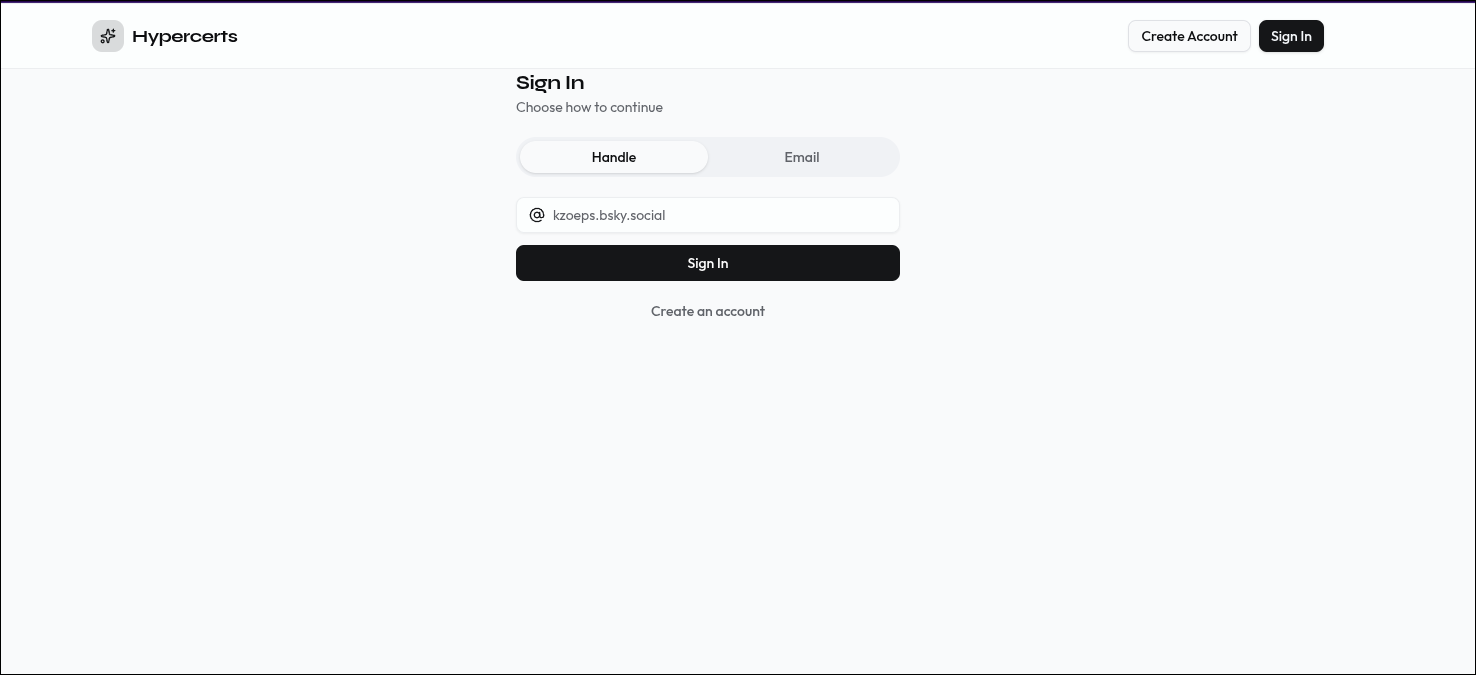 The sign-in screen. Enter your ATProto handle to authenticate via OAuth.
Home screen#
After signing in, the home screen shows your active session — your DID, display name, and handle. From here you can create a new hypercert or view your existing ones.
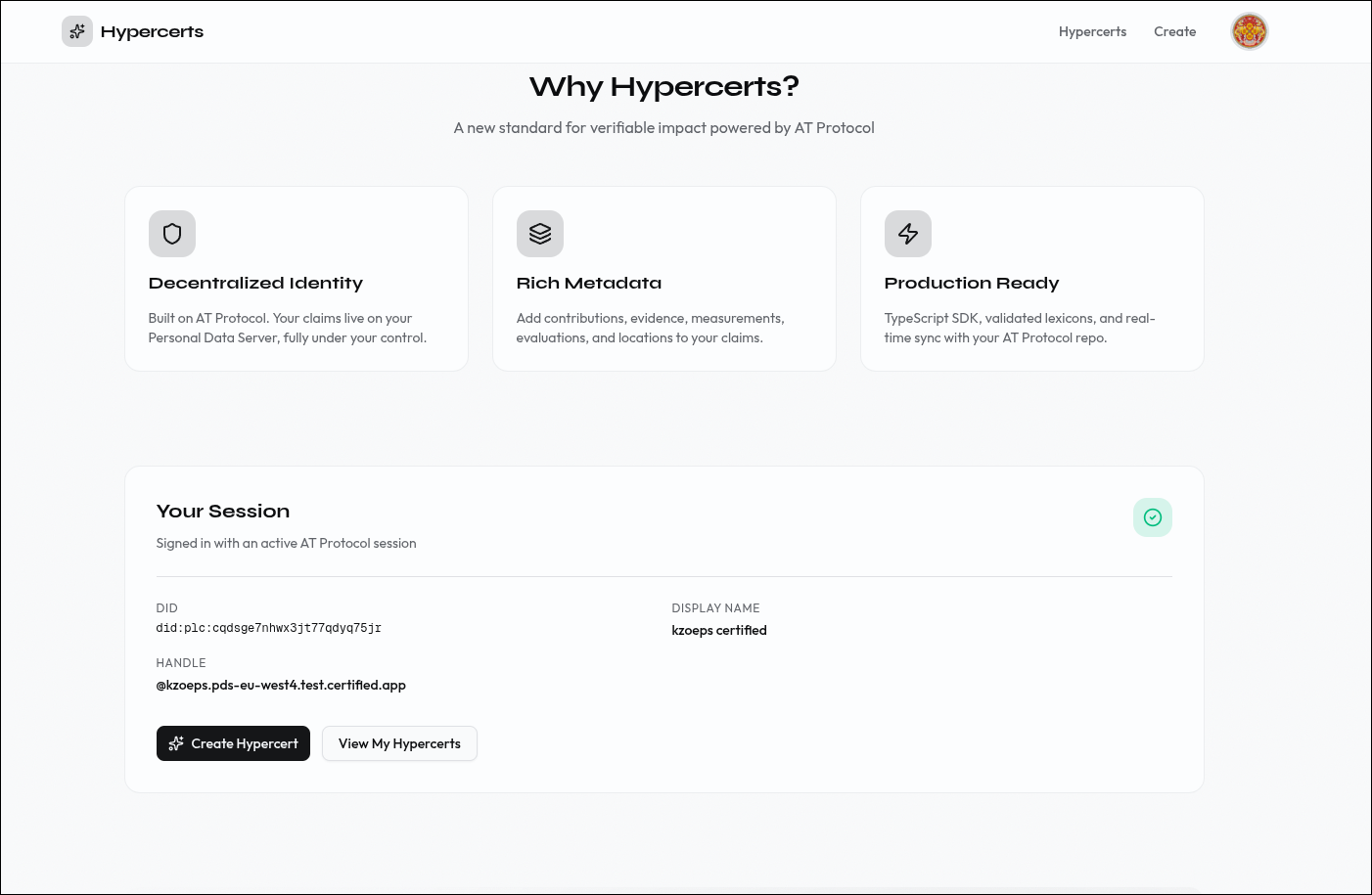 The authenticated home screen with session details and quick actions.
Create a hypercert#
The creation flow is a 5-step wizard with a sidebar stepper that tracks your progress:
Step 1 — Basic info. Title, description, work scope tags, start and end dates, and an optional cover image. This creates the core org.hypercerts.claim.activity record on your PDS.
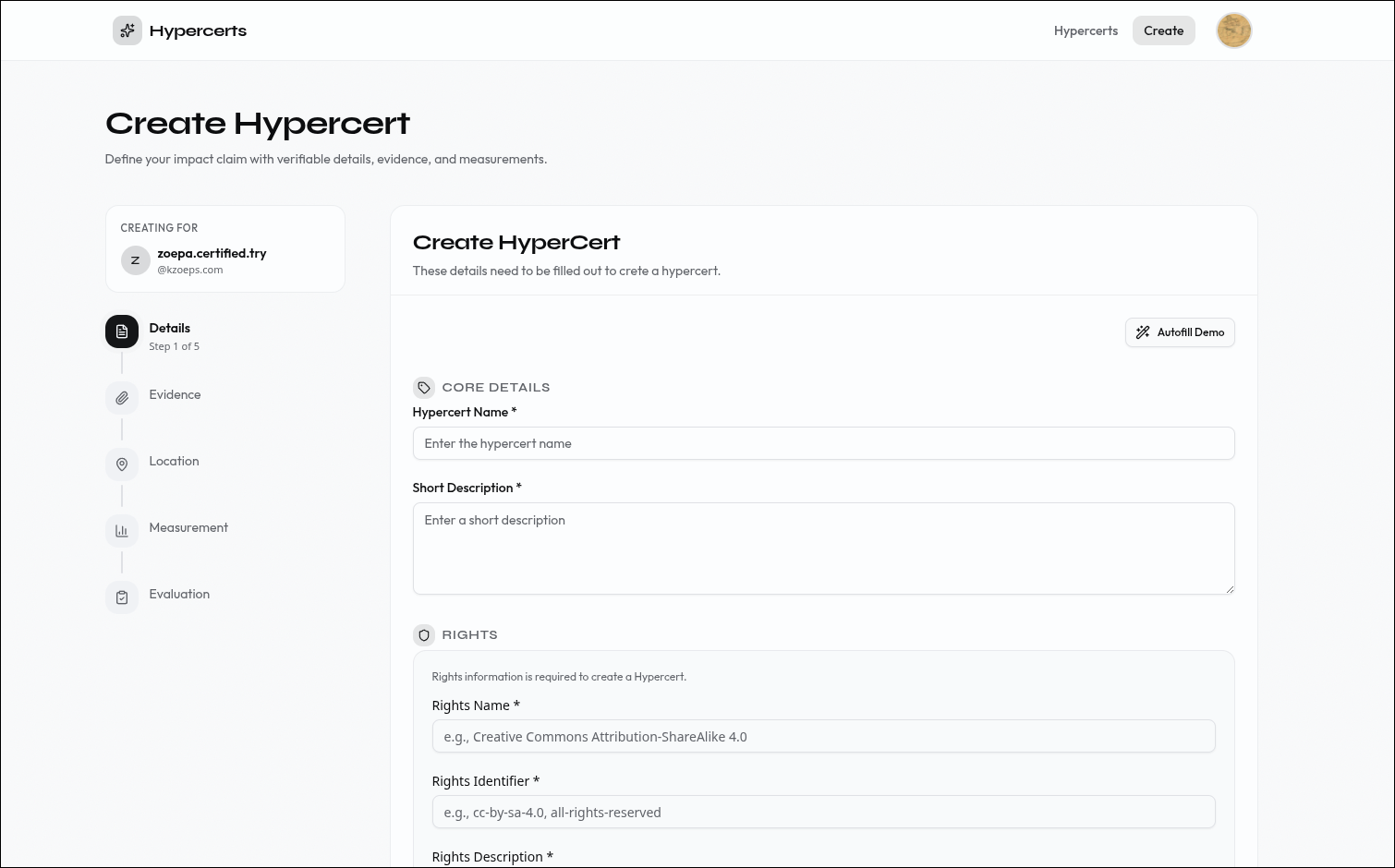 Step 1: Define the basic claim — what work was done, when, and in what scope.
Step 2 — Attachments. Attach supporting documentation — URLs, files, or descriptions that back up the claim.
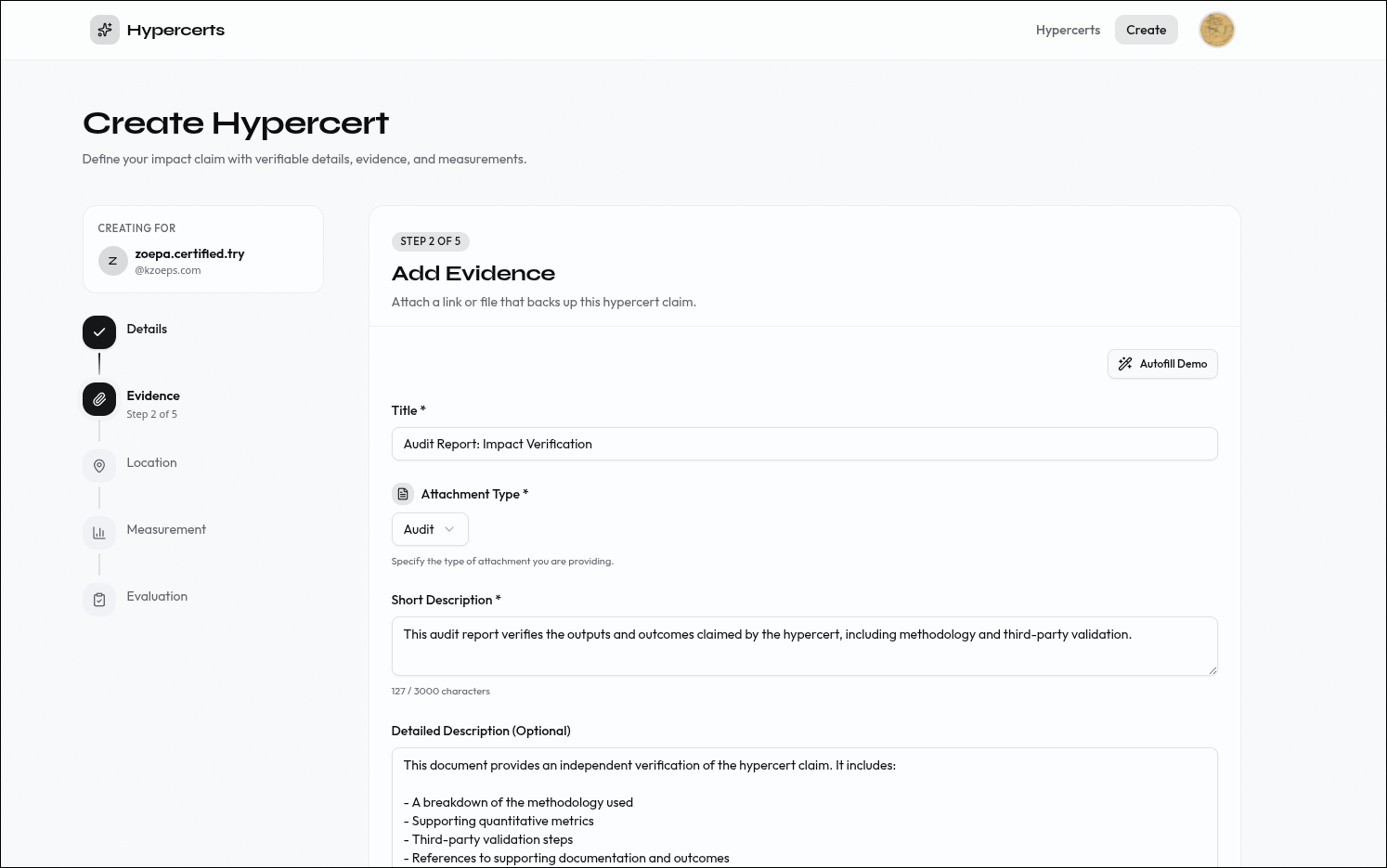 Step 2: Attach supporting documentation to back up the claim.
Step 3 — Location. Add geographic context to the work — where it happened.
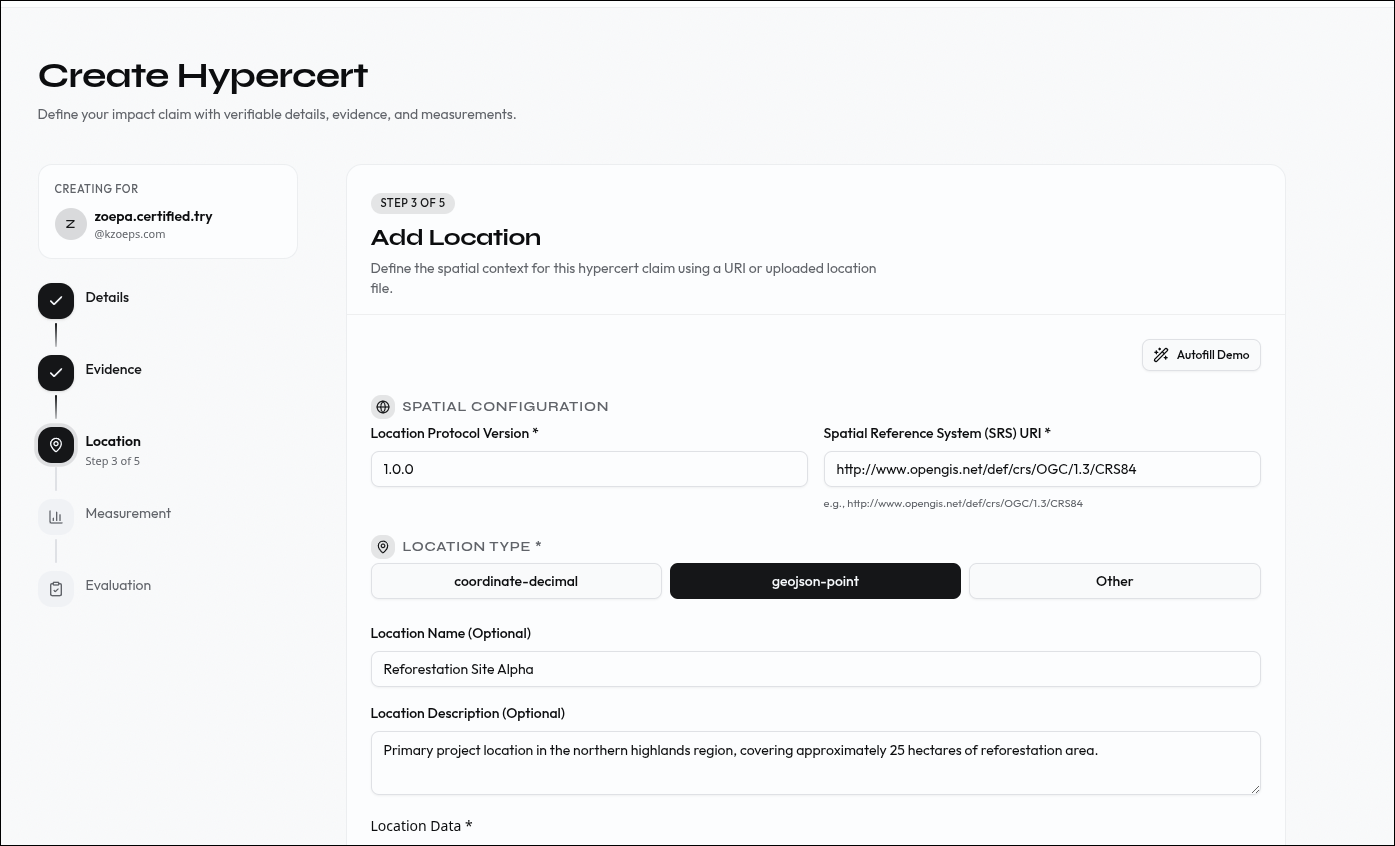 Step 3: Add location data to anchor the work geographically.
Step 4 — Measurements. Add quantitative data — metrics, values, and measurement methods that make the impact concrete.
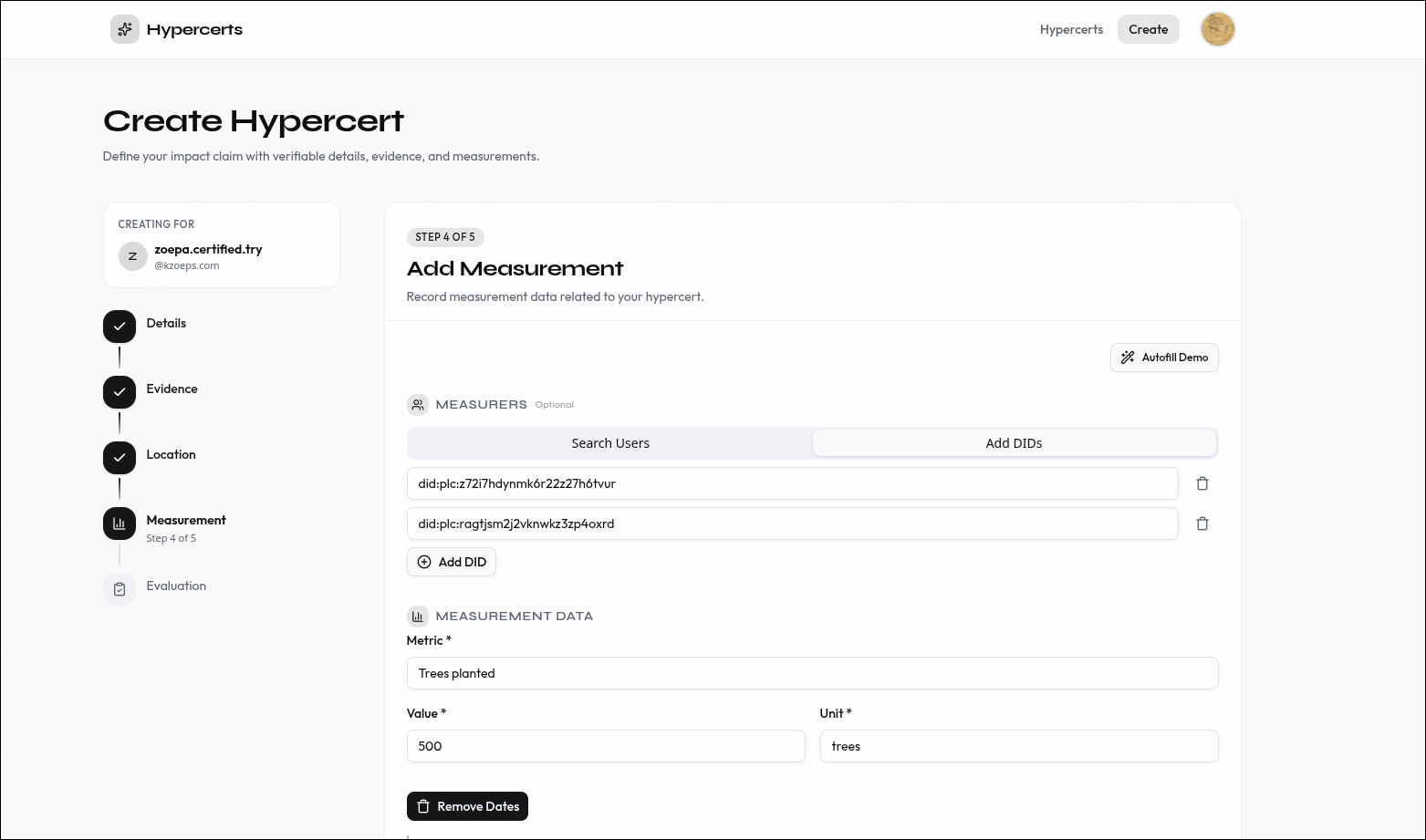 Step 4: Add measurements to quantify the impact.
Step 5 — Evaluations. Add third-party assessments of the work.
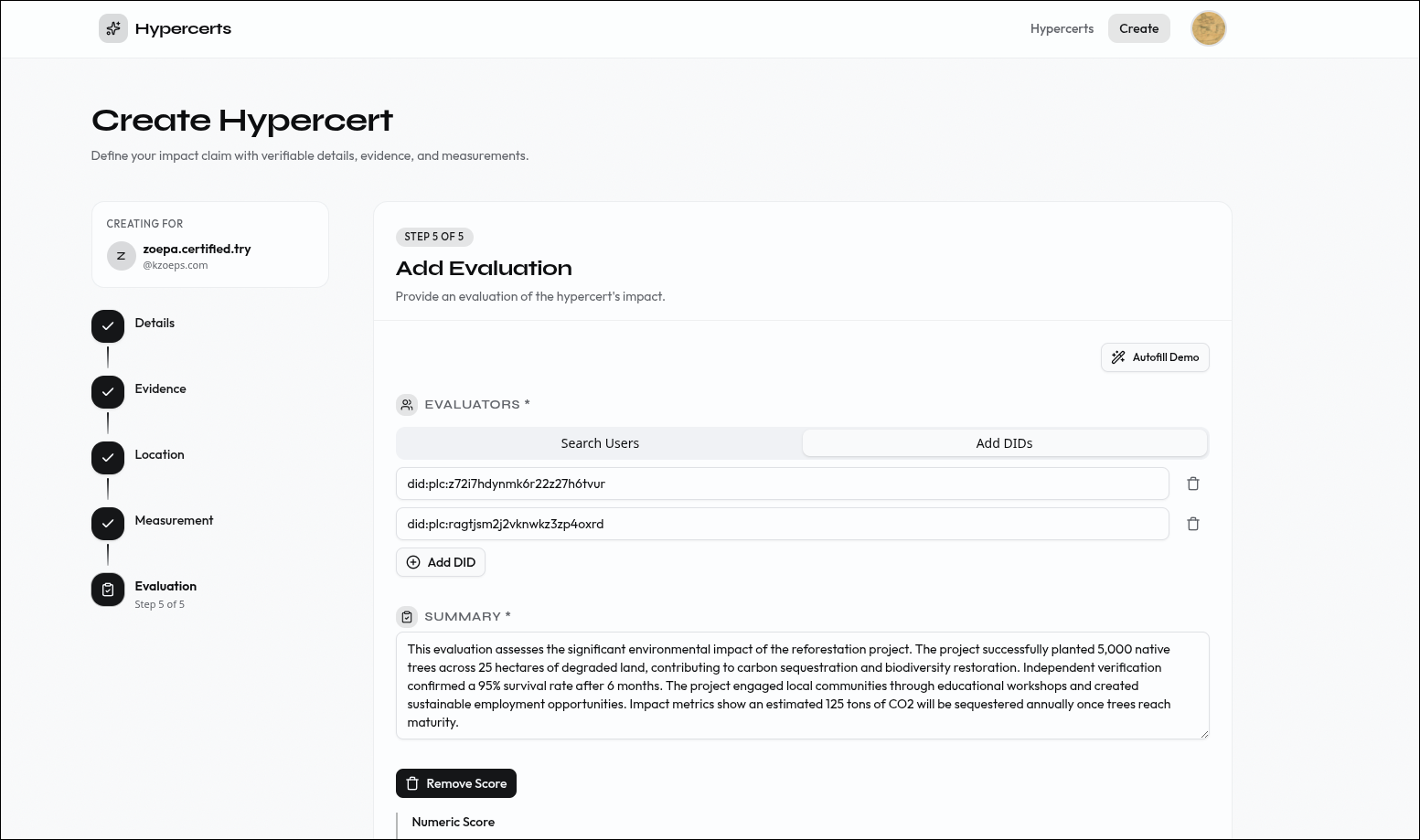 Step 5: Add evaluations from third-party assessors.
Step 6 — Done. Review the completed hypercert and create another or view your collection.
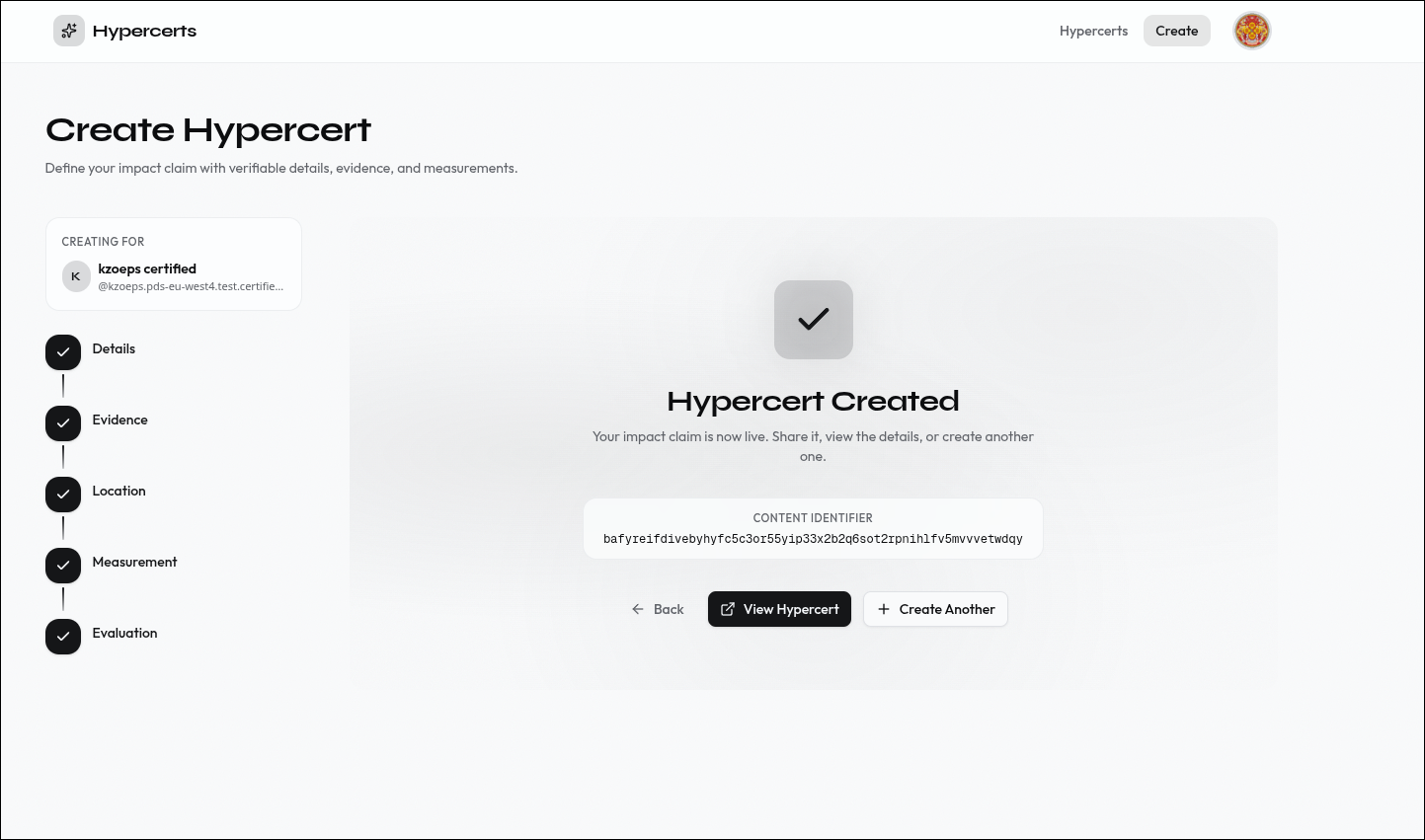 Step 6: The hypercert is created and stored on your PDS.
Browse your hypercerts#
The hypercerts page shows all your claims in a card grid. Each card displays the title, description, creation date, work scope tags, and cover image. Click any card to view its full details.
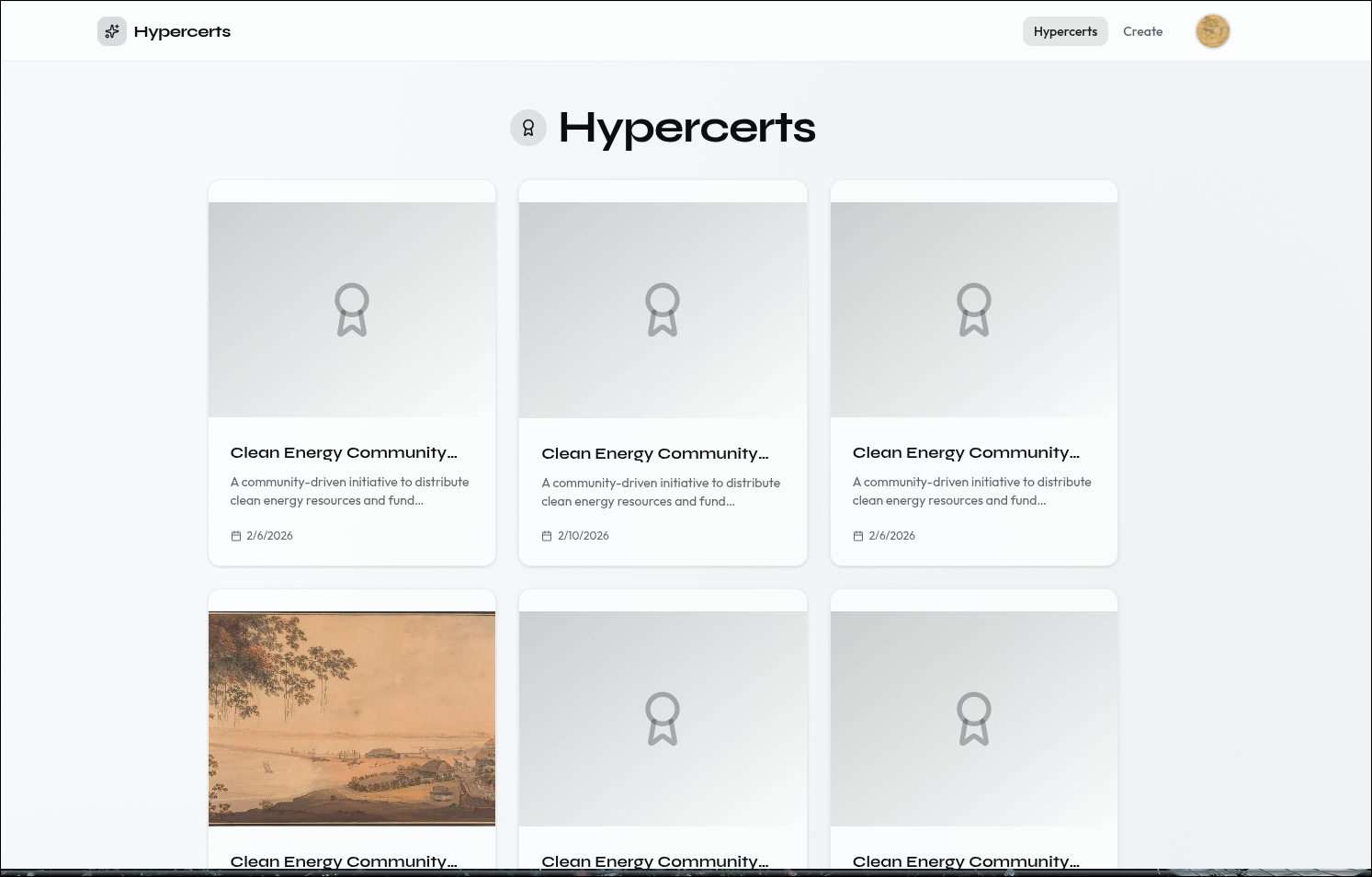 Your hypercerts displayed as cards with metadata and work scope tags.
Edit your profile#
The profile page lets you update your Certified profile — display name, bio, pronouns, website, avatar, and banner image. Changes are written directly to your PDS.
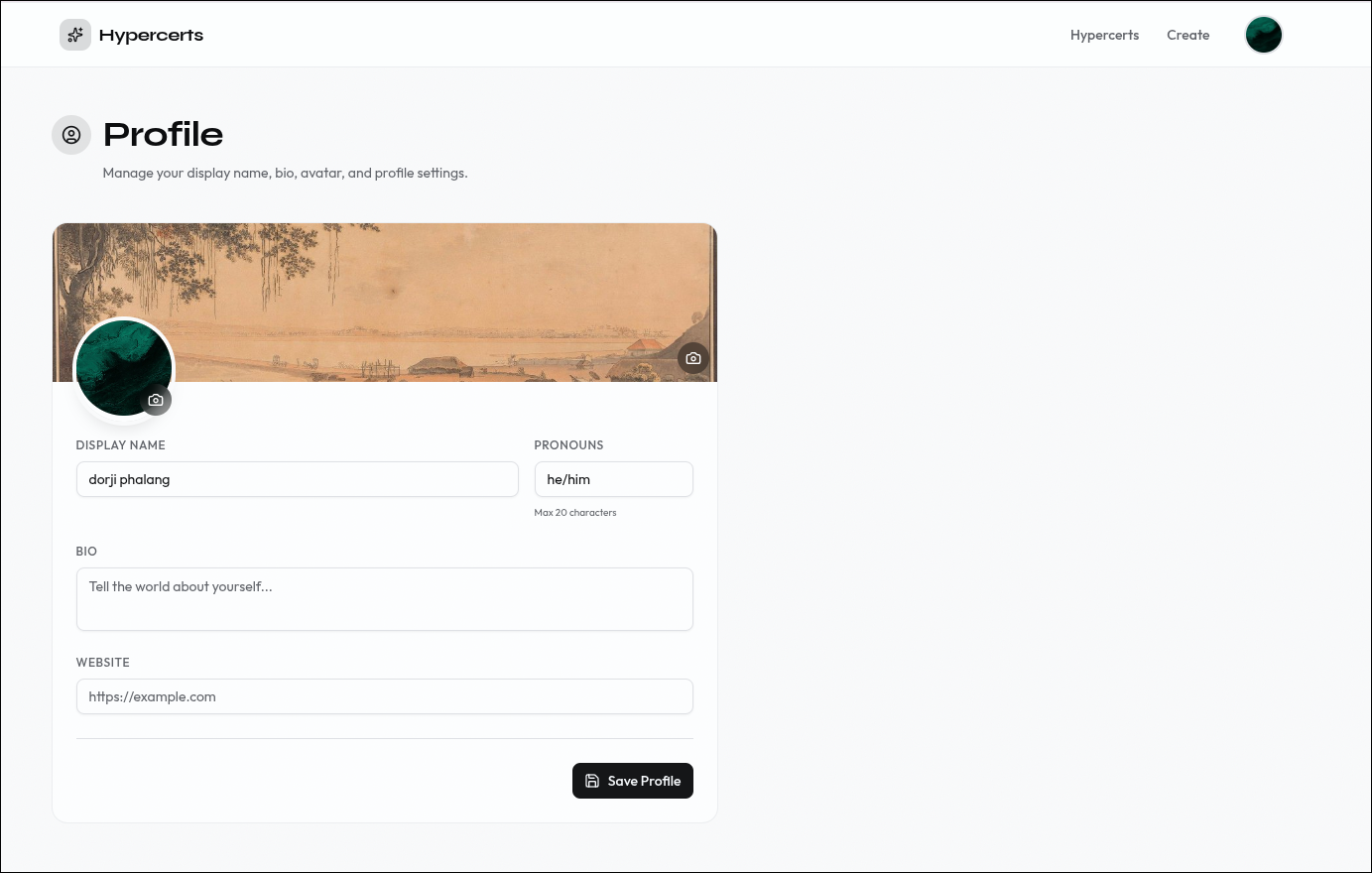 Edit your Certified profile. Changes are stored on your PDS.
Environment variables#
| Variable | Description |
|---|---|
NEXT_PUBLIC_BASE_URL | App URL (http://127.0.0.1:3000 for local) |
ATPROTO_JWK_PRIVATE | OAuth private key (generate with pnpm run generate-jwk) |
REDIS_HOST | Redis hostname |
REDIS_PORT | Redis port |
REDIS_PASSWORD | Redis password |
NEXT_PUBLIC_PDS_URL | Target PDS for the standard handle-based OAuth sign-in flow. Can be any AT Protocol PDS (Bluesky, a Certified ePDS, a self-hosted PDS, etc.). |
NEXT_PUBLIC_EPDS_URL | Optional. Target ePDS for the email/passwordless sign-in tab. Only needed if you want to offer email login; leave unset to disable that tab. Must be an ePDS (a PDS with the ePDS email-login extension), so in practice a Certified-operated ePDS. |
Redis is the default session store, but you can use any persistent storage (Supabase, Postgres, DynamoDB, etc.). You just need to implement the NodeSavedStateStore and NodeSavedSessionStore interfaces from @atproto/oauth-client-node. See lib/redis-state-store.ts for the reference implementation.
Run it locally#
- Clone and install:
git clone https://github.com/hypercerts-org/hypercerts-scaffold-atproto
cd hypercerts-scaffold-atproto
pnpm install
- Configure environment:
cp .env.example .env.local
pnpm run generate-jwk >> .env.local
- Start Redis (for session storage):
docker run -d -p 6379:6379 redis:alpine
- Run the dev server:
pnpm run dev
Open http://127.0.0.1:3000. Requires Node.js 20+ and pnpm.
Note: Use
127.0.0.1notlocalhostfor local development. ATProto OAuth requires IP-based loopback addresses per RFC 8252. The app auto-redirects, but your.env.localmust use127.0.0.1.
Architecture#
OAuth Flow#
The scaffold implements ATProto OAuth with DPoP-bound tokens. The flow involves four parties: the Browser, the Scaffold Server (Next.js), the Authorization Server (user's PDS), and Redis (session storage).
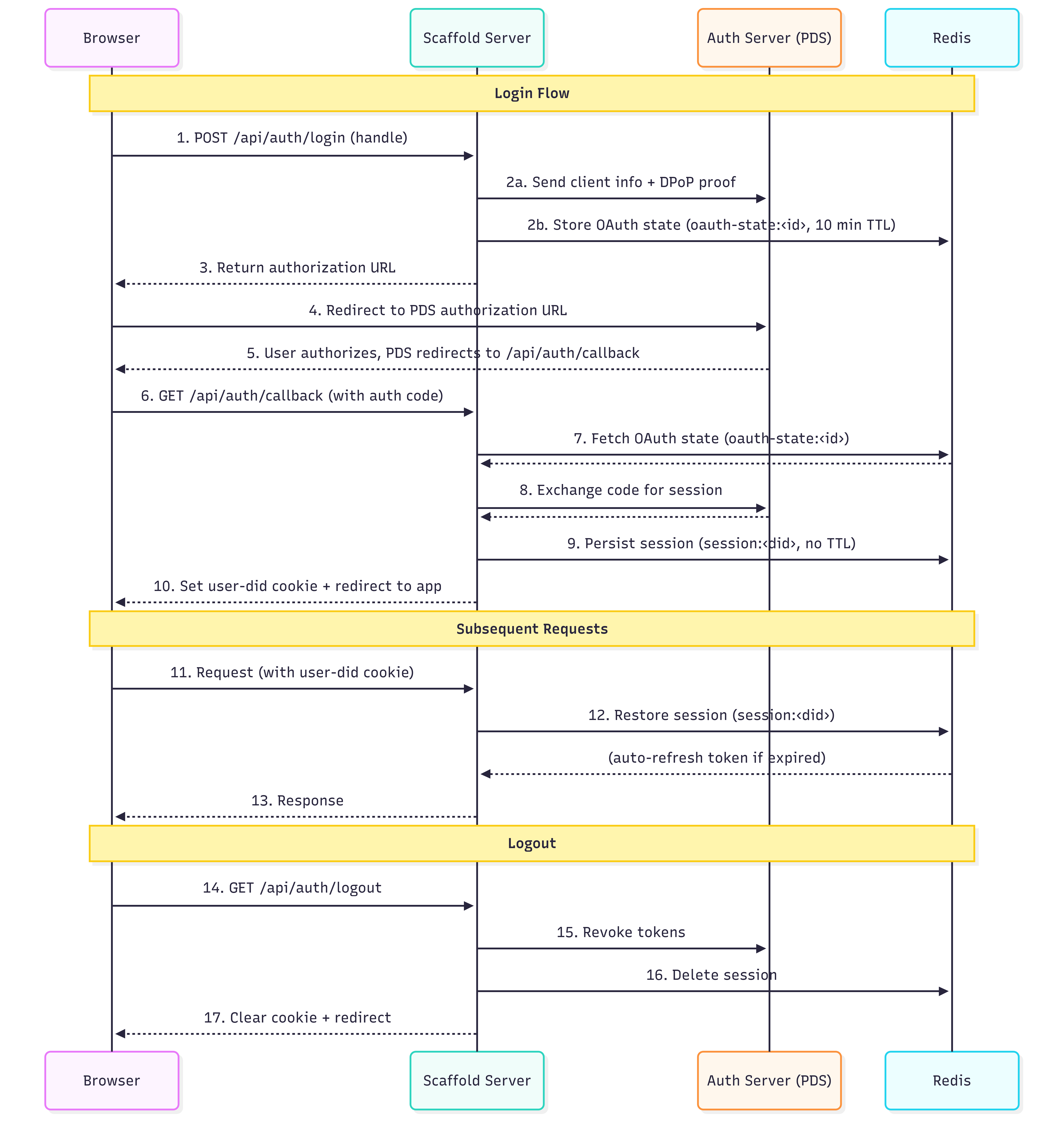 The ATProto OAuth flow — from login initiation through session creation and subsequent request authentication.
1–3 — Login initiation. The browser sends the user's handle to POST /api/oauth/login. The server resolves the handle to a DID, discovers their PDS, and generates an authorization URL. Temporary OAuth state is stored in Redis (oauth-state:<id>, 10-minute TTL) to prevent CSRF.
4–6 — Authorization. The browser redirects to the PDS where the user grants consent. The PDS redirects back to /api/oauth/callback with an authorization code.
7–9 — Session creation. The server exchanges the code for a DPoP-bound session via the OAuth client's callback() method. The session (tokens, refresh token, DID) is persisted to Redis (session:<did>, no TTL) and a user-did httpOnly cookie is set in the browser.
10–12 — Session restore. On subsequent requests, the server reads the user-did cookie and calls oauthClient.restore(did) to load the session from Redis, auto-refreshing expired tokens. This call is wrapped in React's cache() so multiple server components in the same render only hit Redis once.
Logout. GET /api/oauth/logout revokes tokens with the PDS, deletes the Redis session, and clears the cookie.
Discovery endpoints. Before any of this works, the PDS needs to discover the app's identity. Two endpoints handle this:
/client-metadata.json(app/client-metadata.json/route.ts) — serves RFC 7591 client metadata:client_id, redirect URIs, scopes, and DPoP configuration./jwks.json(app/jwks.json/route.ts) — serves the public half of the app's ES256 key pair (fromATPROTO_JWK_PRIVATE). The PDS uses this to verify client assertion JWTs.
Local Loopback Development#
ATProto OAuth requires loopback clients to use 127.0.0.1 rather than localhost, per RFC 8252 Section 7.3. This prevents DNS rebinding attacks and means local development operates differently from production in two ways:
client_id format. In production, the client_id is the URL of the client metadata document (https://yourdomain.com/client-metadata.json). In local development, ATProto uses a special loopback format: http://localhost?scope=...&redirect_uri=.... The lib/config.ts module auto-detects which format to use based on whether the base URL resolves to a loopback address.
Automatic redirect. The app includes a proxy (proxy.ts) that issues a 307 redirect from localhost to 127.0.0.1 for any incoming request.
Note: Your
.env.localmust setNEXT_PUBLIC_BASE_URL=http://127.0.0.1:3000. Usinglocalhostwill cause the configuration validator inlib/config.tsto throw an error at startup.
Server-Side Data Boundary#
All data fetching happens server-side. The ATProto session lives in Redis, accessed via an httpOnly cookie — there is no browser-side session. Client components never talk to the PDS directly.
The app exposes server-side logic to client components through two patterns: API Routes (app/api/) for operations that need FormData like file uploads, and Server Actions (lib/create-actions.ts) for simpler operations called directly without an HTTP round-trip. Client components use TanStack React Query hooks (in queries/) to call both.
Server component pages like app/hypercerts/page.tsx and app/hypercerts/[hypercertUri]/page.tsx skip this entirely — they call the ATProto client directly on the server and pass fetched data as props to client components.
Constellation Backlinks#
ATProto has no built-in reverse lookup — given a hypercert URI, there is no native way to find which attachments, evaluations, or measurements reference it. The scaffold uses Constellation, an external backlinks service, to solve this.
Constellation indexes ATProto records and returns all records that reference a given subject URI. The scaffold queries three source paths:
- Attachments:
org.hypercerts.context.attachment:subjects[com.atproto.repo.strongRef].uri - Evaluations:
org.hypercerts.context.evaluation:subject.uri - Measurements:
org.hypercerts.context.measurement:subject.uri
The query hooks follow a two-step pattern: fetch backlink URIs from Constellation, then fetch each record's full data via Server Actions. This split is necessary because Constellation returns record identifiers, not record contents.
Project structure#
hypercerts-scaffold/
├── app/
│   ├── layout.tsx                    # Root layout (server component, wraps providers)
│   ├── page.tsx                      # Landing page (server component)
│   ├── loading.tsx                   # Root loading state
│   ├── robots.ts                     # Robots meta
│   ├── sitemap.ts                    # Sitemap generation
│   ├── client-metadata.json/
│   │   └── route.ts                  # OAuth client metadata endpoint (RFC 7591)
│   ├── jwks.json/
│   │   └── route.ts                  # JWKS public key endpoint for OAuth
│   ├── api/
│   │   ├── oauth/
│   │   │   ├── login/route.ts        # POST — initiate OAuth login (handle)
│   │   │   ├── callback/route.ts     # GET — OAuth callback, sets session
│   │   │   ├── logout/route.ts       # GET — revoke session, clear cookie
│   │   │   └── epds/
│   │   │       ├── login/route.ts    # POST — initiate ePDS email login (PAR + PKCE)
│   │   │       └── callback/route.ts # GET — ePDS token exchange
│   │   ├── certs/
│   │   │   ├── route.ts              # POST — create hypercert
│   │   │   ├── add-location/route.ts # POST — attach location to hypercert
│   │   │   └── add-attachment/route.ts # POST — attach evidence/files
│   │   └── profile/
│   │       ├── update/route.ts       # POST — update Certified profile
│   │       └── bsky/update/route.ts  # POST — update Bluesky profile
│   ├── hypercerts/
│   │   ├── page.tsx                  # List all hypercerts (server component)
│   │   ├── loading.tsx
│   │   ├── create/
│   │   │   ├── page.tsx              # Multi-step creation wizard
│   │   │   └── layout.tsx
│   │   └── [hypercertUri]/
│   │       ├── page.tsx              # Hypercert detail view (server component)
│   │       ├── loading.tsx
│   │       ├── edit/page.tsx         # Edit hypercert
│   │       └── add/[type]/page.tsx   # Add evidence/evaluation/measurement/etc.
│   ├── profile/
│   │   ├── page.tsx                  # Certified profile editor
│   │   └── loading.tsx
│   └── bsky-profile/page.tsx         # Bluesky profile editor
│
├── lib/
│   ├── config.ts                     # Centralized config, env validation, URL detection
│   ├── hypercerts-sdk.ts             # NodeOAuthClient initialization + Redis stores
│   ├── atproto-session.ts            # Session restore helpers (server-only, cached)
│   ├── atproto-writes.ts             # StrongRef resolution, location creation, blob upload
│   ├── atproto-branding.ts           # OAuth page CSS/logo branding
│   ├── epds-config.ts                # Derives ePDS OAuth endpoints from NEXT_PUBLIC_EPDS_URL
│   ├── epds-helpers.ts               # PKCE + DPoP utilities for ePDS flow
│   ├── repo-context.ts               # getRepoContext() — authenticated Agent + DID context
│   ├── redis.ts                      # Redis client singleton (server-only)
│   ├── redis-state-store.ts          # Redis-backed OAuth state + session stores
│   ├── create-actions.ts             # Server Actions ("use server")
│   ├── record-validation.ts          # Generic lexicon record validation
│   ├── blob-utils.ts                 # Blob/image URL resolution (server-only)
│   ├── contribution-helpers.ts       # Contributor/contribution utilities
│   ├── types.ts                      # Core TypeScript types
│   ├── utils.ts                      # Shared utilities (cn, validators)
│   └── api/                          # Client-side API layer
│       ├── client.ts                 # Base fetch wrappers (JSON, FormData)
│       ├── auth.ts                   # Auth API functions
│       ├── hypercerts.ts             # Hypercert API functions
│       ├── profile.ts                # Profile API functions
│       ├── bsky-profile.ts           # Bluesky profile API functions
│       ├── types.ts                  # Shared API types
│       ├── query-keys.ts             # Centralized TanStack Query key factory
│       └── external/
│           ├── bluesky.ts            # Bluesky public API (search, profiles)
│           └── constellation.ts      # Constellation backlinks API
│
├── providers/
│   ├── AllProviders.tsx              # QueryClientProvider (client component)
│   ├── AuthErrorToast.tsx            # Auth error toast notifications
│   └── SignedInProvider.tsx          # Auth gate + Navbar (server component)
│
├── queries/                          # TanStack Query hooks (all client-side)
│   ├── use-active-profile-query.tsx
│   ├── auth/                         # Login/logout mutations
│   ├── hypercerts/                   # Create, edit, delete, attach queries/mutations
│   ├── profile/                      # Profile update mutations
│   └── external/                     # Bluesky search, Constellation queries
│
├── components/
│   ├── ui/                           # shadcn/ui primitives
│   ├── navbar.tsx                    # Top navigation
│   ├── login-dialog.tsx              # Login form (handle + email tab toggle)
│   ├── hypercerts-create-form.tsx    # Create wizard wrapper
│   ├── hypercerts-edit-form.tsx      # Edit hypercert form
│   ├── evidence-form.tsx             # Evidence step
│   ├── locations-form.tsx            # Location step
│   ├── measurement-form.tsx          # Measurement step
│   ├── evaluation-form.tsx           # Evaluation step
│   ├── contributions-form.tsx        # Contributors step
│   ├── hypercert-detail-view.tsx     # Detail page client component
│   ├── hypercert-*-section.tsx       # Collapsible detail sections (evidence, evaluations, etc.)
│   ├── delete-confirm-dialog.tsx     # Delete confirmation
│   ├── profile-form.tsx              # Certified profile form
│   └── bsky-profile-form.tsx         # Bluesky profile form
│
├── scripts/
│   └── generate-jwk.mjs             # JWK key pair generator (ES256)
│
└── vendor/                           # Packed dependency tarballs (pre-release)
app/ contains pages (server components by default) and API routes. lib/ is split: top-level files are server-only, while lib/api/ is the client-side fetch layer that browser code calls. providers/ has one server component (SignedInProvider, which handles the auth gate and renders the Navbar) and one client component (AllProviders, which sets up the TanStack Query client). queries/ is entirely client-side TanStack Query hooks. components/ is entirely client-side React components.